How it works
From the people who hold the roles to the budget that closes the year
1Roles
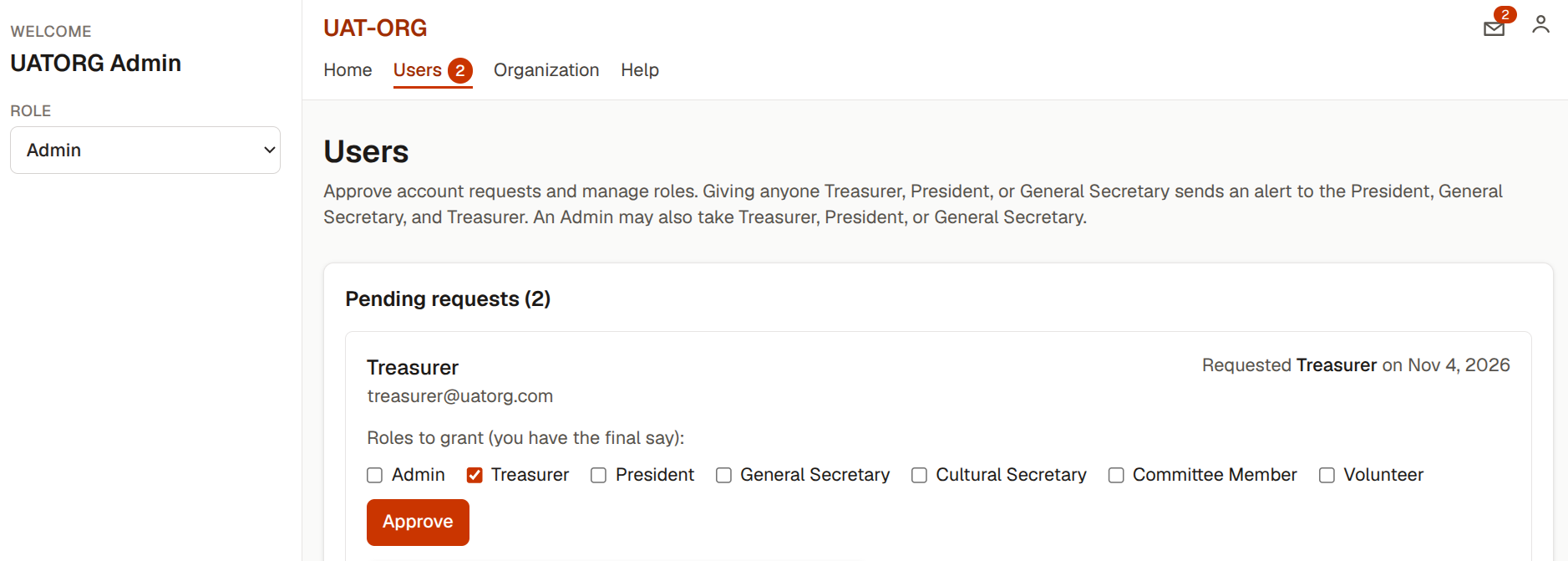
An admin sets the roles
Everyone is on one list. The admin turns roles on or off for each person, from Treasurer to Volunteer, and one person can hold more than one role.
- Treasurer, President, and General Secretary are alerted when a finance role is given
- Account requests wait for approval
2Events
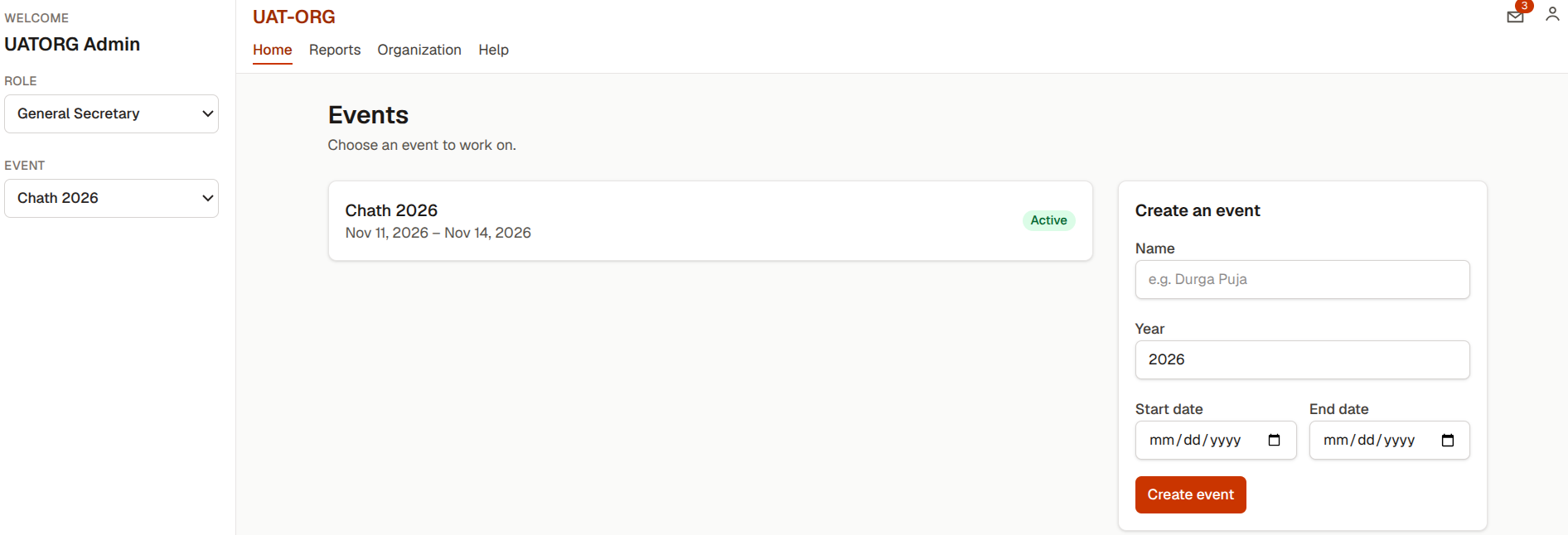
Each year starts as an event
A new event is created from the events list, and earlier events stay on that list. Opening an event opens that year's books.
- Past events stay available for reports
- A closed event can be reopened by the Treasurer or the Admin
3Budget and payments
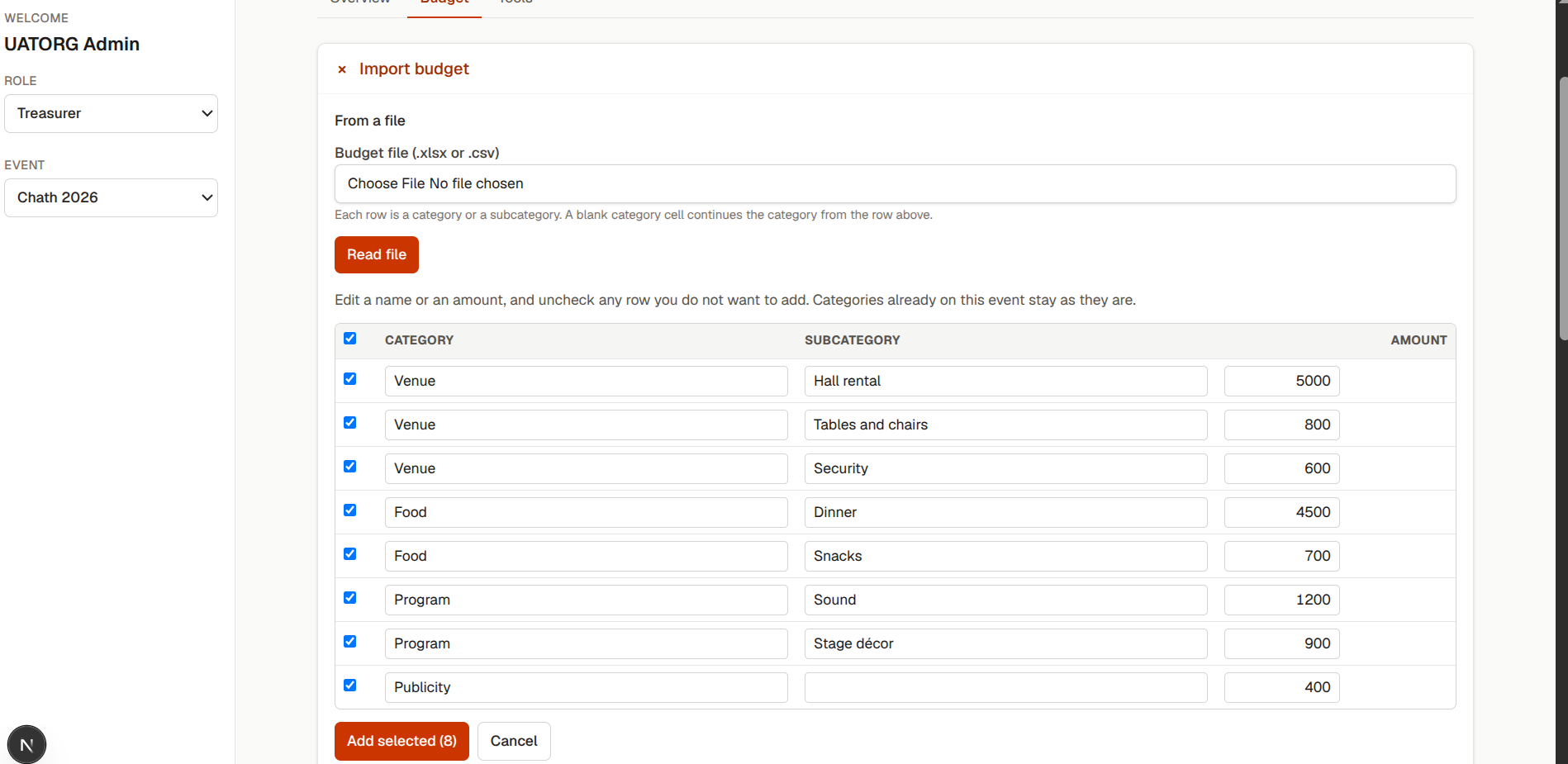
The treasurer confirms the budget and the ticket sales
A budget file becomes a table of categories, subcategories, and amounts. A payment file is read for a ticket total and a donation total. Nothing is saved until the treasurer confirms it.
- A budget can also be copied from a past event
- A new payment file replaces the previous one
4Sponsorships and expenses
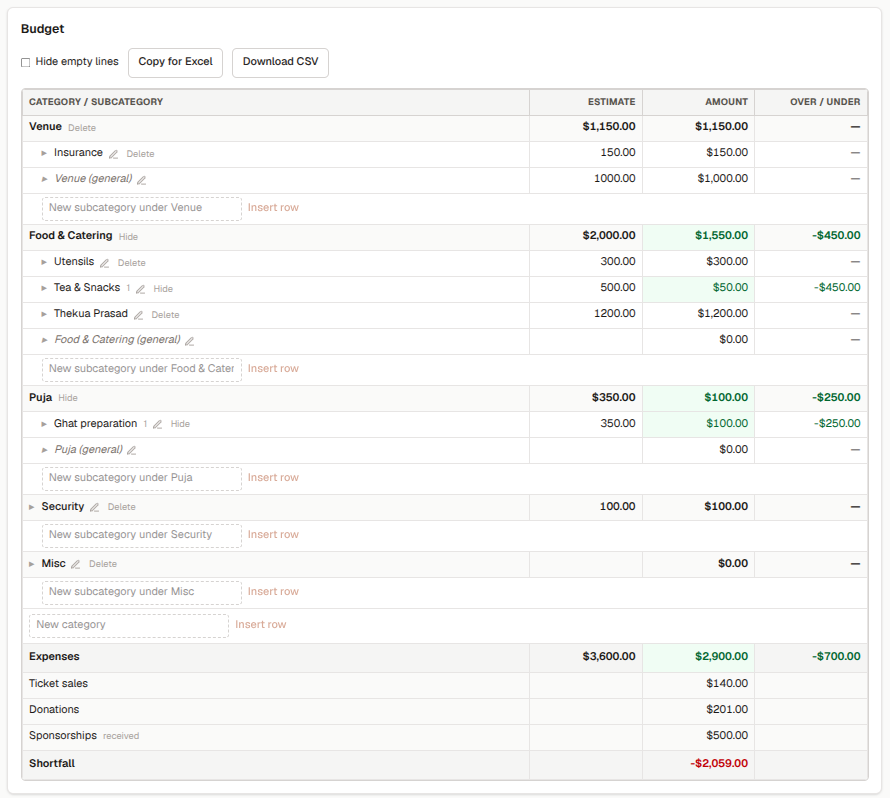
Sponsorships and expenses flow back into the budget
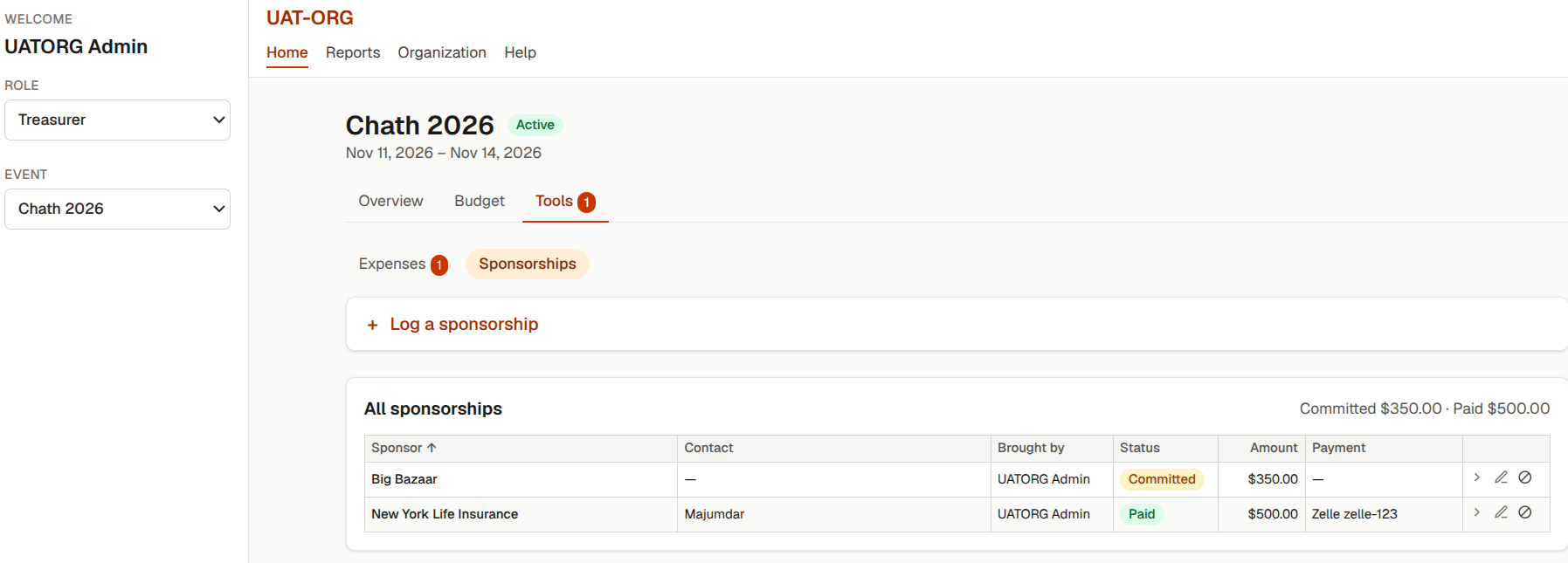
A volunteer logs a sponsorship and files an expense against a category. The treasurer approves the expense and marks it paid. The amount then shows on that category in the budget.
- Receipts are attached to the expense
- A rejected expense goes back with a reason
Bring your next event into one place
Join your organization with its 6-digit number, or add a new organization with an installation key.